![Main - White500.png]](https://help.eletive.com/hs-fs/hubfs/Main%20-%20White500.png?height=35&name=Main%20-%20White500.png)
Target audience: administrators
How AI Credits work
AI Credits are shared across all AI-powered features in Eletive, including the AI Writing Assistant and Copilot. As new AI features are added to the platform, they will draw from the same shared credit pool.
Each feature can be activated and deactivated independently, giving you full control over which features consume credits from your shared pool.
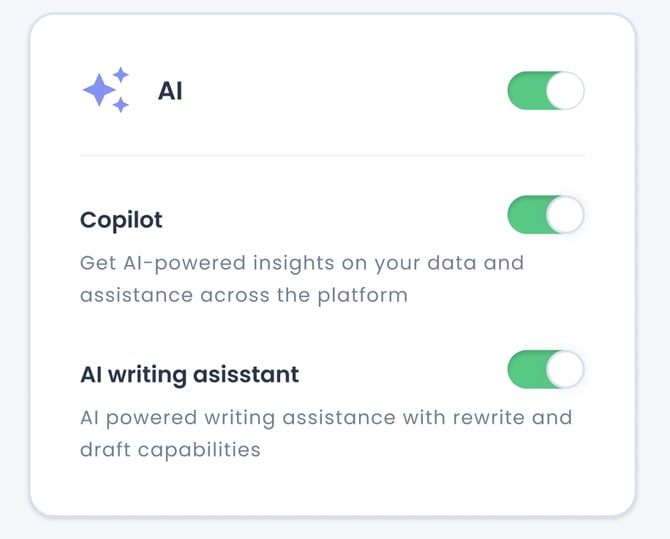
Note: Comments AI operates independently from all other Eletive's AI features. It also does not consume any AI Credits. Read more about Comments AI.
Free AI credits included in yearly contract
All customers receive a free pool of AI Credits as part of their contract with Eletive and the amount is refreshed each contract year.
As an administrator, you will receive a notification when your credit balance is running low. Additional credits can be purchased directly through the platform at any time.
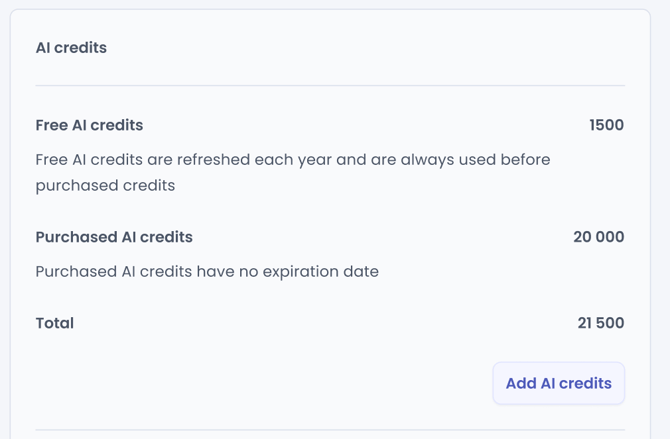
How to purchase more AI Credits
- Click on Add AI Credits
- Enter the amount you wish to purchase
- Review how many AI Credits this corresponds to
- Read and confirm that you are authorised to make the purchase
- Click Add AI Credits to confirm purchase
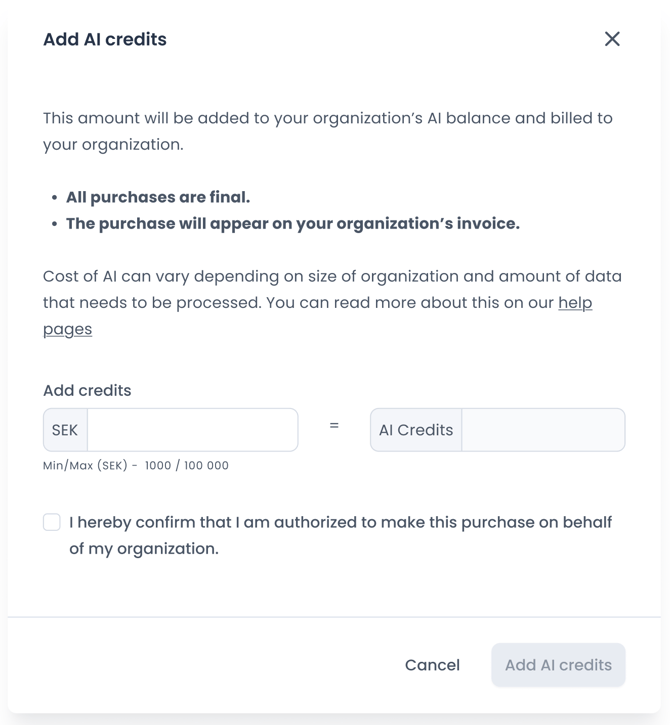
Purchased credits are added to your account immediately and will appear under the purchased credits section.
Allocating credits across user roles
As an administrator, you can distribute credits across different user roles, allocating a larger share to roles with higher AI usage needs. You can also set limits for specific individuals if needed.
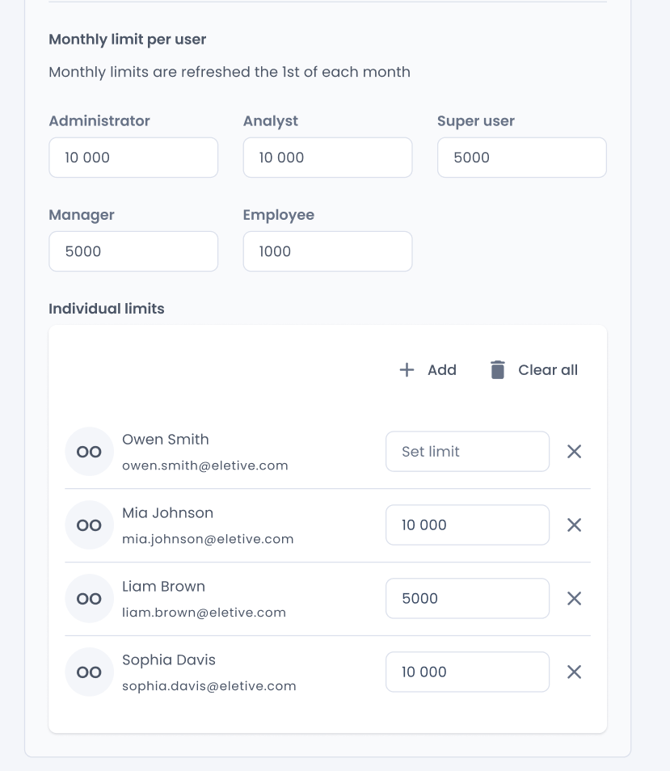
The allocation works as a monthly limit per user within each role. Once a user has reached their monthly allocation, they will need to wait until the following month for their AI credits to reset before they can use AI features again.
What to consider when setting limits
The right monthly limits will vary depending on your organisation and how AI features are used, but as a general rule:
- Admins and Analysts tend to perform more in-depth analysis across a broader scope of data and segments, which typically requires more credits per request.
- Managers generally need fewer credits per request, since their analysis is limited to their own segment. However, because there are usually many more managers than admins in an organisation, even a modest per-user limit for managers can add up to a large share of the total credit pool.
Note: If the monthly limit is increased, the change applies immediately. However, it does not reset a user's usage for the month — it simply raises the ceiling. So if a user has already used credits during the current month, only the difference between the old and new limit becomes newly available to them, not the full new limit.
How many credits does a request use?
The number of credits consumed by a request depends primarily on the number of reports Copilot needs to process. The key factors are:
- Timespan — the longer the period covered by the request, the more reports are usually included and processed and the more credits are used
- Number of segments — more segments means more segment reports to analyse
- Survey frequency — more frequent surveys generate more reports within any given timespan, increasing credit consumption
Example requests and credit consumption
The examples below are calculated for an organisation with approximately 100 users, 7 years of data in Eletive, and bi-weekly pulses. Given the long data history and high survey frequency, these figures represent the higher end of credit consumption.
| Request | Approx. credits consumed for processing the request |
| Give me an analysis of organisation engagement trend since start | 1 500 |
| Give me an analysis of organisation engagement trend this year | 530 |
| Compare engagement trend between organisation and engineering segment since start | 2 100 |
| Compare engagement trend between organisation and engineering segment this year | 370 |
| Give me a deep analysis of all engagement drivers and questions for organisation since start | 4 000 |
| Give me a deep analysis of all drivers and questions for organisation last quarter | 1 400 |
| Compare organisation and engineering segment for all engagement drivers since start | 3 000 |
| Compare organisation and engineering segment for all engagement drivers last quarter | 430 |
| What was the engagement for engineering segment at the start of this year?" | 700 |